 Chris Dalton
SaneBox vs Clean Email: The Real Comparison You Need
January 23, 2026
I tested both of these back to back after my inbox got bad enough that Derek mentioned it in a meeting. The one that runs in the background sorted maybe 340 emails in the first week without me touching anything. The other one I had to log into separately, which I kept forgetting to do. I actually thought it wasn't working for the first three days because nothing looked different in my regular inbox. It was working. I was just looking in the wrong place.
Quick Finder
SaneBox or Clean Email - Which Fits You?
Answer 5 questions. Get a recommendation based on how you actually work.
How would you describe your current inbox situation?
How do you prefer email tools to work?
How important is budget?
Do you need to track follow-ups on emails you have sent?
How many email accounts do you need to manage?
Your Recommendation
Quick Verdict: Which Should You Choose?
Go with the AI-first one if: I set mine up in maybe 20 minutes and honestly forgot about it for two weeks. Came back and it had sorted around 340 emails without me touching anything. That said, I accidentally trained it wrong on my first pass and had to reset a folder. Not a big deal, just annoying.
Go with the rules-based one if: Derek swears by it because he likes knowing exactly why an email ended up somewhere. Better if you've got a backlog and a smaller budget.
Pricing Comparison
This is where things get interesting. The pricing structures are completely different, and one is significantly cheaper than the other.
Tory just walked by eating cereal out of a mug and told me everything happens for a reason. I don't know what to do with that.
SaneBox Pricing
- Snack Plan: $7/month (1 email account, 2 features)
- Lunch Plan: $12/month (2 email accounts, 6 features)
- Dinner Plan: $36/month (4 email accounts, all features)
Annual billing drops prices significantly: $59/year for Snack, $99/year for Lunch, $299/year for Dinner. There's also biyearly billing at $99, $169, and $499 respectively.
SaneBox offers a 14-day free trial with access to all features. Educational institutions, non-profits, and government agencies get 25% off.
Clean Email Pricing
- 1 Account: $9.99/month or $29.99/year
- 5 Accounts: $19.99/month or $49.99/year
- 10 Accounts: $29.99/month or $99.99/year
Clean Email offers a free trial that lets you clean 1,000 emails and unsubscribe from 25 newsletters-no credit card required.
The Price Difference Is Huge
Let's be real: Clean Email is dramatically cheaper. At $29.99/year for one account versus SaneBox's $59/year minimum, you're paying roughly half. If you need multiple accounts, Clean Email's 5-account plan at $49.99/year beats SaneBox's 2-account Lunch plan at $99/year by a wide margin.
But here's the catch with SaneBox: you get what you pay for in terms of features per tier. The Snack plan only gives you 2 features to choose from. Want the full suite? You're paying $299/year for the Dinner plan. Clean Email gives you all features on every plan-the only variable is how many accounts you can connect.
Look, I get that SaneBox pioneered this category, but charging 3x more than Clean Email when both solve the same fundamental problem? That's some audacious pricing. Unless you're absolutely married to the "set it and forget it" approach, that premium is hard to justify.
Annual billing saves you about 75% compared to monthly on Clean Email, making it one of the best values in email management. SaneBox saves you about 20-30% with annual billing, which is decent but not as aggressive.
How They Actually Work (The Key Difference)
The difference between these two comes down to something I didn't fully get until I'd used both for a few weeks.
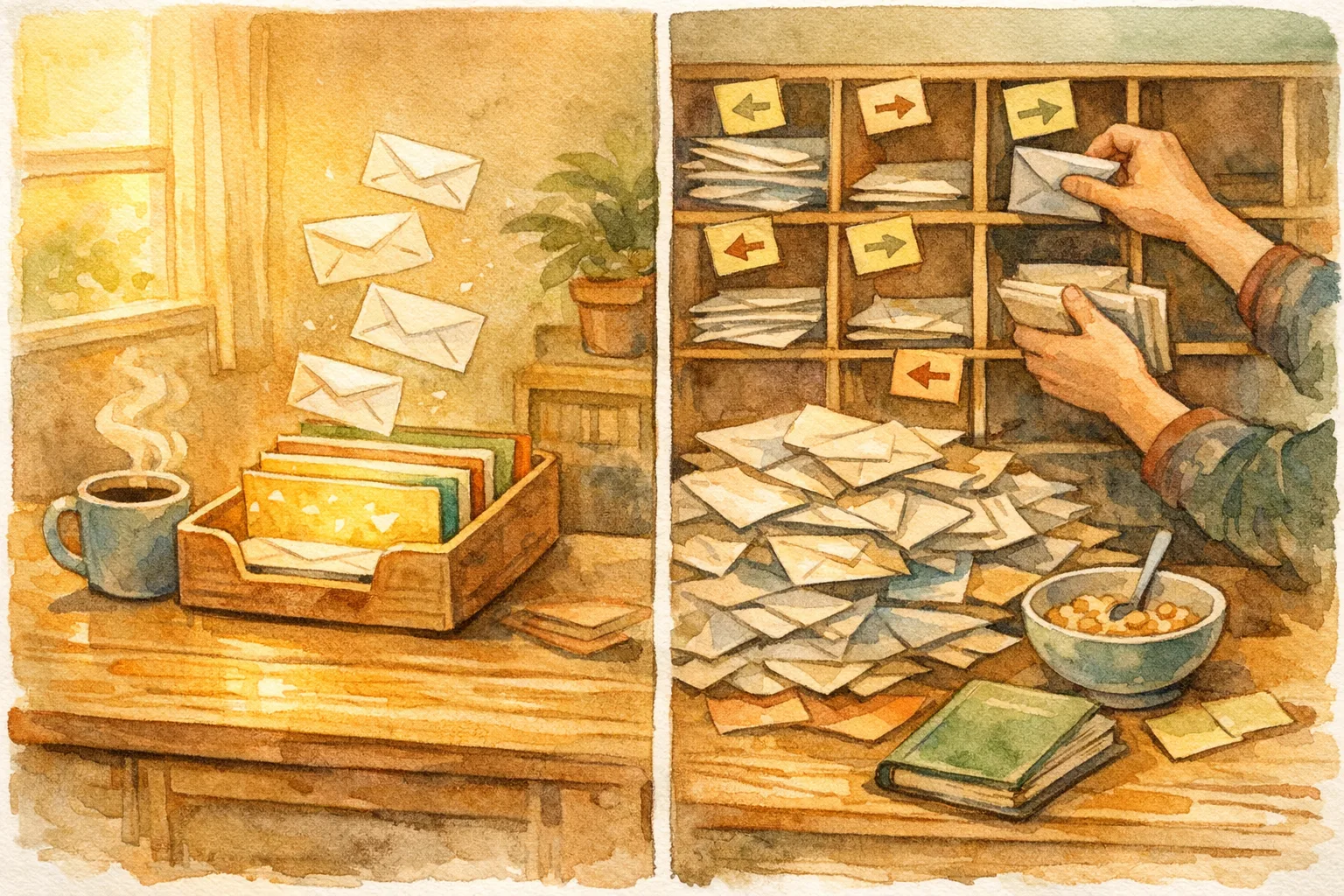
The first one never asks you to go anywhere new. It just plugs into whatever inbox you're already using and starts sorting things into folders it creates on its own. I didn't set any rules. I didn't tell it anything. I came back the next morning and stuff had moved. That was either going to feel like magic or feel like someone rearranging your desk while you were asleep, depending on your personality. For me it was a little of both.
The AI looks at your email history when it connects – apparently several weeks back – and uses that to start filtering immediately. I don't know exactly what it's reading. Headers, I think. Not the actual emails. Training it is just dragging things around. I dragged maybe 30 emails over the first few days and it got noticeably better. By the end of week two I was catching maybe one or two misfiles a day, down from what felt like a dozen. Roughly 96% accurate by my count, which isn't perfect but it's close enough that I stopped second-guessing it.
The thing I kept bumping into: I couldn't see why something got sorted where it did. There's no explanation. It just goes. If you're someone who needs to audit that, this tool is going to frustrate you. I got used to it. Derek would not.
The second one is a separate app entirely. You leave your inbox and work inside its own interface. That felt weird to me at first and I spent probably 45 minutes trying to find where to do things I kept expecting to be somewhere else.
Once I found the bulk tools it made more sense. There are pre-built categories – shopping, newsletters, finance, travel, a bunch more – and everything sorts into them automatically the first time you open it. No waiting. I cleared out a backlog I'd been ignoring for months in about 20 minutes.
The rule-builder is manual. You set conditions, you pick an action, it runs. I accidentally set one to apply to everything instead of just a specific sender. It archived some things I needed. I found them. It was fine. But that's the kind of thing that happens when you're building rules instead of letting something learn.
Neither approach is wrong. They just ask different things from you.
What Is SaneBox? A Deep Dive
SaneBox is an AI-powered email management service founded recent years in Boston. It's designed to work as an invisible layer on top of your existing email setup, filtering emails without requiring you to change how or where you check email.
The core philosophy is passive management: SaneBox makes decisions for you based on learned behavior, keeping your inbox focused on what matters while everything else gets organized into specialized folders.
SaneBox doesn't store emails on their servers. Instead, it connects to your email provider using secure protocols and processes header information only. The service is GDPR compliant and uses OAuth 2.0 authentication for security.
If your SaneBox account is inactive for 90 days, they automatically delete all your data-a privacy feature that shows their commitment to not holding onto your information unnecessarily.
How SaneBox AI Learning Works
SaneBox uses machine learning algorithms that analyze your email patterns. When you first connect, it examines several weeks of email history to understand:
- Which senders you typically respond to quickly
- Which emails you open versus ignore
- Which emails you move to folders or delete
- Time patterns in your email behavior
The system continuously adapts based on your actions. Every time you move an email between folders, you're training the AI. You can use "Move and train to..." for permanent training or "Move once to..." for one-time actions without teaching the algorithm.
Here's the annoying part: if you're inconsistent with your email habits, SaneBox gets confused. I watched it learn that newsletters were important for a client who just happened to read them every Monday morning out of guilt, not actual interest.
This adaptive learning means SaneBox gets better the longer you use it. Early on, you might need to correct some sorting decisions. After a few weeks, most users report the AI accurately predicts what they want to see in their inbox.
What Is Clean Email? A Deep Dive
Clean Email is a privacy-focused inbox management tool founded recent years. It gained significant recognition recent years when it was highlighted as a trustworthy alternative to Unroll.me after that service was found selling user data.
Unlike SaneBox's AI approach, Clean Email focuses on giving users complete control through visual organization and rule-based automation. It's designed for people who want to see exactly what's happening with their emails and make conscious decisions about how to handle them.
Clean Email supports all major providers: Gmail (with OAuth), Outlook/Hotmail, Yahoo Mail, iCloud, AOL, Fastmail, Exchange, and any IMAP-compatible service. Like SaneBox, it only analyzes email headers and metadata-never content.
The service is GDPR and CCPA compliant with 128-bit encryption. They automatically delete data 45 days after account termination. 100% of Clean Email's income comes from subscription fees-they don't sell data or show ads.
How Clean Email's Smart Folders Work
Smart Folders are predefined filters that automatically organize your emails into logical categories. When you first connect an account, Clean Email scans all your messages and immediately groups them.
The 33 Smart Folders include categories like:
- Top Senders (who emails you most frequently)
- Old Emails (messages past a certain age)
- Large Attachments (emails taking up storage space)
- Social Networks (Facebook, LinkedIn, Twitter notifications)
- Online Shopping (Amazon, eBay, retail confirmations)
- Finance and Insurance (bank statements, credit cards, bills)
- Travel (airlines, hotels, booking confirmations)
- Food Delivery (Uber Eats, DoorDash, etc.)
- Gaming (Steam, PlayStation, Xbox notifications)
- Newsletters and mailing lists
- Automated Messages (no-reply addresses)
- Unread messages
- Dead-end conversations (emails you never replied to)
These folders update in real-time as new emails arrive. You can then select entire categories and apply bulk actions-delete all, archive all, move all, label all-with just a few clicks.
The visual interface shows you exactly how many emails are in each category, making it easy to spot where your inbox clutter is coming from.
Feature Comparison
Email Sorting and Filtering
SaneBox: Uses AI that learns from your behavior. Drag emails between folders to train it. The algorithm continuously adapts based on what you do. Works passively-you don't need to think about it once it's trained.
Someone from accounting walked past my desk twice this morning and the second time she said "you look like you smell good" and now I'm confused about whether I actually do.
The main folders SaneBox creates include @SaneLater (non-urgent emails), @SaneNews (newsletters and bulk mail), @SaneBlackHole (permanently blocked senders), and custom folders you can create for specific needs like receipts, bills, or work projects.
Clean Email: Uses rule-based automation. You define exactly what happens with specific conditions and actions. More control, but requires more active management and upfront setup time.
Clean Email's Auto Clean rules can be incredibly detailed. You can set conditions like "from this domain," "older than 30 days," "larger than 10MB," "marked as read," and "not starred," then apply actions automatically. Rules run 24/7 once configured.
Unsubscribing and Blocking
This is where Clean Email has a real advantage.
SaneBox's SaneBlackHole: When you drag an email there, future emails from that sender automatically go to Trash. But here's the thing-it doesn't actually send an unsubscribe request. The sender keeps emailing you; you just don't see it. Emails stay in SaneBlackHole for 7 days before moving to Trash, giving you time to rescue anything accidentally blackholed.
Clean Email's unsubscribe feature actually shows you before you commit which emails will be affected. SaneBox just makes you trust it. Guess which approach leads to fewer "oh crap" moments?
Clean Email's Unsubscriber: Actually sends unsubscribe requests to senders. This is true unsubscribing, not just hiding emails. The system detects subscription emails and lets you bulk-unsubscribe from multiple lists at once. You can also block entire domains and subdomains, which is useful when spammers use multiple subdomains to evade filters.
Clean Email's Unsubscriber feature groups senders by subscription, shows you preview messages, and lets you multi-select several subscriptions to apply actions to all of them simultaneously. It's far more comprehensive for managing newsletter overload.
Follow-Up Reminders and Tracking
SaneBox: Has two powerful features here. SaneReminders lets you set a reminder for a specific email you want to be notified about-great for following up on important conversations. SaneNoReplies creates a folder that collects sent emails that haven't received a response, helping you track unreplied messages.
These features are especially valuable for salespeople, account managers, and anyone who needs to follow up on outgoing emails. You can set custom timeframes for reminders and check SaneNoReplies periodically to see what needs follow-up.
Clean Email: Doesn't have follow-up tracking features. This is a notable gap if you need help tracking unreplied emails or setting reminders for specific messages. Clean Email is focused on organizing and cleaning what's already in your inbox rather than managing outgoing correspondence.
Do Not Disturb Mode
SaneBox: Has a proper Do Not Disturb feature that temporarily holds all new emails in a separate folder. You can set it for:
- One-time events (like a vacation or specific date range)
- Recurring daily patterns (every weekday evening, weekends)
- Custom time windows
There's even a VIP feature where certain people can break through Do Not Disturb by using a secret keyword in the subject line. You pick the keyword, share it with trusted contacts, and they can reach you even during blackout periods.
You can also set an auto-reply message that SaneBox sends automatically when Do Not Disturb is active, letting senders know when to expect a response.
Clean Email: Doesn't have an equivalent DND feature. You can use Auto Clean rules to automatically archive or move emails during certain periods, but there's no dedicated "pause my inbox" functionality.
Email Snoozing
Both tools let you snooze emails to deal with later, though they implement it differently.
SaneBox: Uses special folders for snoozing. You have @SaneTomorrow, @SaneNextWeek, or can create custom snooze folders like @Sane2Days or @Sane1Month. Drop an email in the folder, and it reappears in your inbox at the specified time. The snoozing happens within your existing email client-no separate interface needed.
Clean Email: Has a "Read Later" feature that works similarly. You move emails to Read Later, and Clean Email can send you a summary of Read Later messages on a schedule (daily or weekly). By default, summaries arrive on Sunday evenings, but you can customize the timing.
The key difference: SaneBox's snoozing is more granular with more time options, while Clean Email's Read Later is simpler but less flexible.
Bulk Cleanup
Clean Email: This is where it absolutely shines. It can process 100,000+ emails at once. User reports confirm people have successfully cleaned 300,000+ messages in a single session. The Smart Folders immediately categorize everything when you connect, letting you take mass actions on entire categories.
For example, you could:
- Delete all emails from social networks older than 30 days
- Archive all newsletters you haven't opened in 90 days
- Move all receipts to a dedicated folder
- Bulk-delete all promotional emails from specific retailers
The visual feedback is satisfying-you watch your inbox count drop in real-time as Clean Email processes thousands of messages.
SaneBox: Has Email Deep Clean for identifying large and old emails, but it's not as powerful for one-time massive cleanups. Deep Clean helps you review and delete space-consuming messages in bulk, but the focus is more on ongoing management than tackling a huge backlog.
SaneBox is designed to prevent future clutter, not necessarily fix years of accumulated mess. If you have 50,000 unread emails, Clean Email is the better tool for the initial cleanup.
Custom Folders and Organization
SaneBox: Lets you create custom DIY folders that the AI can learn to sort emails into. For example, you might create @SaneReceipts, @SaneBills, or @SaneFamily. Drag emails from those senders into the custom folders, and SaneBox learns to automatically route future messages there.
Custom folders are trainable just like the default SaneBox folders, giving you flexibility to organize emails however makes sense for your workflow.
Clean Email: Uses Smart Folders as the primary organization method, but you can also leverage your email provider's native labels and folders. Clean Email can apply labels (in Gmail) or move emails to existing folders (in Outlook) as part of Auto Clean rules.
The Favorites feature lets you customize any Smart Folder with your preferred filters and search terms, then save those settings as a favorite for quick access.
Attachment Management
SaneBox: Has SaneAttachments, which automatically saves email attachments to cloud storage services like Dropbox, Google Drive, Box, or OneDrive. You can set rules for which attachments to save and where they should go.
This is useful for automatically backing up important documents or organizing files without manually downloading and uploading them.
Clean Email: Has a Smart Folder for Large Attachments that helps you identify emails taking up storage space. You can bulk-delete these to free up quota, but Clean Email doesn't automatically save attachments to external services.
Email Provider Support
Both work with virtually all major email providers: Gmail, Outlook, Yahoo, iCloud, AOL, and any IMAP-compatible account.
SaneBox has a slight edge here-it also supports EWS-OWA (Exchange Web Services) and ActiveSync, which can matter for certain enterprise setups using Microsoft Exchange servers.
Clean Email only supports IMAP-based accounts. If you're on older protocols like POP3 or have a custom enterprise setup that doesn't support IMAP, this could be a blocker.
Neither tool supports POP3, but most email providers can switch from POP3 to IMAP in settings if needed.
Platform and Device Support
SaneBox: Works wherever your email works since it operates server-side. You can check email on PC, Mac, desktop, mobile, tablet-anywhere. SaneBox also offers an iOS Companion App for mobile management.
The advantage is seamless integration. Whether you're using the Gmail web interface, Apple Mail on Mac, Outlook desktop app, or your iPhone's mail client, SaneBox folders appear and function identically.
Clean Email: Offers dedicated apps for web, macOS, iOS (iPhone and iPad), and Android. The mobile apps are fully featured, letting you manage your inbox from anywhere.
The trade-off is you need to open the Clean Email app to perform bulk actions and review Smart Folders. You can't do everything from within your native email client like you can with SaneBox.
Clean Email also supports multiple interface languages: English, Spanish, French, German, Japanese, and Ukrainian. SaneBox is English-only.
Account Limits
SaneBox maxes out at 4 email accounts on the top-tier Dinner plan. Need more? You have to contact their support team for enterprise pricing.
Clean Email supports up to 10 accounts on the highest plan, which is better for people managing multiple inboxes or small teams who want unified email management across several accounts.
Both tools get weirdly stingy about multiple accounts on lower tiers. If you're managing more than two inboxes, you'll hit paywalls fast-and honestly, at that point you might want to just look at a proper help desk solution instead.
For solopreneurs managing personal email plus multiple business domains, Clean Email's higher account limit is a significant advantage at a fraction of the cost.
Privacy and Security
Both tools claim strong privacy practices and don't sell your data.
Linda brought Gerald's famous potato salad for the potluck. She keeps calling it famous. I've never heard anyone mention it before but I ate two servings because she was watching.
SaneBox: Uses OAuth 2.0 authentication, never stores emails on their servers, only processes header data (sender, subject, timestamp)-not email content. GDPR compliant with SOC 2 Type II certification. If your account is inactive for 90 days, they delete all your data.
SaneBox's privacy policy explicitly states that customer data is never used as a source of revenue. They don't sell, share, or use your email information for any purpose other than providing the service.
Clean Email: Also doesn't read email content, processes headers only, uses full 128-bit encryption, no ads or tracking. The developer states they don't collect data from the app. GDPR and CCPA compliant with automatic data deletion 45 days after account termination.
Clean Email's business model is 100% subscription-based-they explicitly state in their privacy policy that they don't sell user data or use it for advertising.
Both are legitimate options if privacy matters to you. Neither is mining your emails for advertising or third-party data sales.
Clean Email's Privacy Monitor
Clean Email offers a unique Privacy Monitor feature that SaneBox doesn't have. Privacy Monitor regularly checks your email address against known data breaches, helping you stay informed about potential security risks.
If your email appears in a breach database, Clean Email alerts you immediately so you can take action-change passwords, enable two-factor authentication, monitor accounts for suspicious activity.
This proactive security feature adds value beyond just email organization, making Clean Email a more comprehensive privacy tool.
User Interface and Learning Curve
SaneBox: I didn't even realize it was running for the first two days. I kept waiting for some dashboard to pop up and walk me through things, but it just quietly started sorting. I checked my inbox and stuff had already moved. That part was genuinely smooth.
The settings panel is on their website, not inside your email, which I did not figure out for a while. I was dragging emails into folders thinking that was the main way to configure everything. It kind of is, but there's more control sitting in a browser tab I forgot to bookmark. Once I actually found it, I spent maybe 20 minutes clicking through options I didn't fully understand. I left most of them alone.
Clean Email: This one has its own app, and I treated it like a second inbox for probably the first week, which wasn't right. I kept jumping between that and my regular email trying to figure out which one was "real." It took me until around day nine before I stopped second-guessing where to go first.
The interface has a lot of buttons. I clicked through maybe 30 or 40 of them before I had a clear picture of what was actually useful to me. After that settled, I had more visibility into what was happening to my emails than I did with the other one. Derek asked me to pull a report on filtered mail and I could actually do it without guessing.
Screener Feature: Blocking Unknown Senders
I had the screener set up wrong for probably the first two weeks. I thought it was just another folder, so I kept checking it like a normal inbox instead of doing the batch review thing. Once I figured out the actual flow, it made more sense.
Clean Email's version basically puts unknown senders in a holding area. You go in, look at a pile of them, and approve or block in bulk. I cleared out maybe 340 queued messages in one sitting once I stopped treating it like individual decisions. That part worked well once I stopped fighting it.
The other tool doesn't really have a hard gate. New senders just sort of land somewhere quieter and stay there until you move them manually. It learns from that, supposedly. I moved things around for a few weeks and it got better, but I couldn't always tell what it was basing decisions on.
One gives you a deliberate checkpoint. The other just guesses and adjusts. Depends which kind of problem you're trying to solve.
Mobile App Experience
I had the iOS companion app installed for maybe three weeks before I realized I wasn't actually using it. The server-side setup meant my regular phone email app already showed all the sorted folders, so the companion felt redundant. I opened it maybe twice. Derek asked me why I even downloaded it. Honestly, good question.
SaneBox works fine on mobile, just not through its own app. You're really just using whatever email client you already have, which is either convenient or slightly annoying depending on how you think about it. I moved about 40 emails manually between folders one afternoon before I figured out I didn't need to do that at all.
Clean Email was different. The Android app matched what I was seeing in the browser, and the bulk actions actually worked without lagging. I ran a cleanup pass on roughly 1,200 emails from my phone during a flight and it held up fine. Unsubscribing felt faster on mobile than on desktop, which I wasn't expecting.
If you're on Android, one of these doesn't have an app for you. That mattered to Jamie. It didn't matter to me.
Customer Support
SaneBox: I emailed support when I accidentally archived a folder I didn't mean to touch. Heard back in maybe four hours. The person actually walked me through undoing it instead of just linking me to an article. I had also been digging through the help center for about 20 minutes before I emailed, which probably would've been faster if I'd searched better. Trial support felt the same as regular support, which I appreciated.
Clean Email: I waited around two and a half days for a reply when I couldn't figure out why my unsubscribe rules kept reapplying. The answer was helpful when it came, but I'd already asked Derek to just sort it manually. No live chat, which I kept looking for out of habit.
Cleaning Suggestions and Smart Recommendations
Clean Email: The cleaning suggestions were the first thing I actually noticed working. It flagged a newsletter I had deleted maybe a dozen times and just asked if I wanted to handle all of them at once. I said yes. That batch was around 340 emails gone in one click. Some suggestions came from my own patterns, some seemed to come from what other users do, which felt a little strange at first but the recommendations were accurate enough that I stopped questioning it.
SaneBox: The daily digest took me a while to trust. I kept checking my inbox anyway, which kind of defeated the point. Eventually I stopped second-guessing it and just used the digest to confirm and fix anything it sorted wrong.
Daily Digest: Staying Informed
SaneBox: I set the digest to run three times a day before I realized there was a simpler daily option. Took me probably four days of getting mid-morning and mid-afternoon summaries before Derek mentioned I could just do once a day. I don't know why I didn't look closer at the settings. Once I fixed it, it was actually the part of the whole thing I liked most. You get a list of everything it filtered, and you can move stuff back to your inbox right from the email without opening anything. I'd say about 80% of the time I didn't need to act on anything. I just scrolled it over coffee and moved on.
Clean Email: The summary emails here work differently and I got them confused at first. There are two separate ones – one that tells you what the tool did automatically, and one that covers a folder I set up for stuff I wanted to read later. The second one defaulted to Sunday evenings, which I didn't notice for about two weeks. Neither one lets you take action directly from the email. You have to go open the app. That part was a little annoying once I figured out what I was comparing it to.
Who Each Tool Is Best For
The first tool is better if you just want email to sort itself out and you never want to think about it again. I didn't change any settings for the first two weeks and it still got most things right. Derek forwarded me something and it landed in a folder I never would have found, but that was one time. It's also the one I'd point to if you're running EWS or ActiveSync through a company server – that's the only reason I even looked at it, honestly. Linda needed that and the other one didn't support it. Follow-up reminders work without any setup, which is the part I kept expecting to break. It didn't.
The second one is better if you have a backlog and you actually want to see what you're deleting. I cleared around 34,000 messages in one session, which I did not expect to work. I had to run it twice because I accidentally excluded a folder the first time. It's also the one I'd use if I had more than two or three accounts – the pricing structure makes more sense once you're managing a few. Unsubscribing actually works, not just the filtering kind. Tory uses it on Android and hasn't complained, which is usually a sign.
Real User Experiences
I came from the SaneBox side of this. I set it up expecting it to just... work. It mostly did, but I spent the first three days moving emails back manually because I didn't realize I was supposed to drag them into the folders to teach it. I thought that was just how you filed things. I didn't figure out it was training the system until I watched a setup video I probably should have watched first. Once that clicked, it got noticeably faster at sorting. By the end of the second week I was down to about 25 minutes a day on email. Used to be closer to an hour fifteen.
The folders for tracking unanswered emails confused me initially. I kept checking the wrong one. There's a version of that feature that handles replies you're waiting on, and I had it set up for the wrong direction – flagging emails I'd sent instead of ones I was waiting on. I didn't fix it for almost a week. Not the tool's fault. I just didn't read what the folder was actually called.
Pricing I couldn't fully parse. I picked the middle option because the bottom one seemed like it was missing something, but I'm not sure what. Derek said he was on the lower tier and seemed fine with it.
Clean Email I handed to Tory after she mentioned her inbox had somewhere over a hundred thousand unread emails. She got it to zero in one session. She said the bulk tools were straightforward once she stopped using the main view and switched to the filtered one. Her complaint was that she had to stay inside the app the whole time – couldn't just do it from her regular inbox. That bothered her more than it would bother me.
Integration Ecosystem
SaneBox: Integrates with cloud storage services (Dropbox, Google Drive, Box, OneDrive) for automatic attachment saving. Also integrates with Azure Active Directory for enterprise single sign-on.
The focus is on working within your existing email ecosystem rather than replacing it. SaneBox plays nicely with whatever email client and workflow you already have.
Clean Email: Doesn't offer extensive third-party integrations. It's a standalone tool focused entirely on email organization and cleanup. The lack of integrations is intentional-Clean Email wants to be simple and focused rather than a sprawling platform.
For users who want attachment management or CRM integration, SaneBox has the edge.
Time Savings: What to Expect
I get maybe 80 emails a day, which I figured was enough to justify trying both. Honestly, the first one started working before I fully understood what I had set up. I noticed my main inbox got quieter around day three. I hadn't touched anything. The sorting just happened. I was saving maybe 35 to 40 minutes a day by week two, which I did not expect that fast.
The second tool was different. I spent a solid afternoon doing the initial cleanup, and I accidentally ran the same bulk rule twice on a folder I didn't mean to touch. Took me a bit to figure out what happened. Derek had the same issue when he set his up. But once that was sorted, I genuinely stopped thinking about inbox maintenance almost entirely.
Neither one is going to matter much if you're light on volume. But if you're drowning, the first one saves time passively. The second one saves time in one big push upfront, then coasts.
Which Has Better AI?
I spent probably two weeks convinced the AI on both of these worked the same way. It does not. One of them is actually learning your habits in the background. The other one is running rules you either set or it guessed at. I kept checking the wrong settings panel wondering why nothing was adapting.
After about 340 emails sorted, the learning one had genuinely shifted. Things that used to land wrong were landing right. The rule-based one was still doing exactly what I told it to do on day one, which was not always correct.
If you want the AI to figure it out without you touching it, one of these is that tool and one is not. I had a strong opinion about which I preferred by the end of week two. Derek disagreed. He liked knowing exactly why something moved.
Onboarding Experience
SaneBox: Setup was pretty simple. I connected my account, approved some permissions, and it started doing things almost immediately. I think I turned on a feature I didn't have on my plan by accident because it asked me to upgrade maybe ten minutes in. I just ignored it and the filtering still worked. Within the first few days I'd say it was catching maybe 7 out of 10 things correctly, then it got noticeably better once I'd corrected it a handful of times. There's a welcome email that explains what's running. I read about half of it.
Clean Email: The first thing it does is scan everything, and if you have a lot of messages, you're just waiting. I tried clicking around before it finished and nothing was populated yet. I thought something was broken. Derek had the same thing happen and assumed he needed to pay before it would work, which is not the case. Once the scan finished, the folders showed up and bulk actions worked fine. Setting up the automatic rules took me longer than expected because I didn't really know what I wanted them to do before I started building them.
ROI: Is Either Tool Worth the Money?
I did the math wrong at first. I thought the cheaper plan was monthly, not yearly, so I kept second-guessing whether it was worth it. Once I figured out the actual cost, it was pretty embarrassing how long I'd hesitated.
SaneBox: I was losing probably an hour a day just triaging. After a few weeks I was down to maybe 20 minutes. That's rough math, but I tracked it for one week and saved about 3.5 hours. At whatever I'm paying per month, that felt like a ridiculous deal. Derek saw me at my desk actually closing my inbox before lunch and asked what happened.
Clean Email: I did one big unsubscribe session that would've taken me all day manually. It took about 40 minutes. That alone covered the whole year. I don't know how to explain that better. It just did.
Deal Breakers: When NOT to Choose Each Tool
I used the first tool for maybe three weeks before I realized it was just hiding emails I actually needed to unsubscribe from. They were still there. I'd moved probably 60 or 70 of them into a folder I never checked. That's not the same thing. Also I only have a work phone, so the Android thing caught me off guard. I kept logging into the browser version like an idiot before Derek told me that was just how it worked.
The second one was different. I wanted it to just decide things for me without me building rules first. It doesn't really do that. I spent probably two sessions setting up rule sets that the first one would've figured out on its own. Also I'm pretty sure my work account uses something beyond regular IMAP and I could never get it fully connected. Tory had the same problem and just gave up.
The Bottom Line
Honestly, I'd start with the cleanup tool first. I spent probably three weeks using the AI sorter before I realized I still had like 4,000 old emails sitting there that it wasn't touching. It only works on new stuff coming in. I don't know why I assumed it would go back and fix everything. It doesn't. So I ended up running both at the same time for a while, which felt redundant, but it actually worked.
After I ran the bulk cleanup, I got my inbox down from around 6,200 messages to maybe 80 that actually needed attention. That part took one afternoon. The AI sorting I set up after that has been running fine since, mostly invisible, which is what I wanted.
If you're choosing just one: the AI sorter is better if your inbox is already manageable and you just want new mail handled automatically without thinking about it. The cleanup tool is better if you've been ignoring your inbox for a long time and need to actually dig out first. I asked Derek which he used and he said he never did the cleanup step and still regrets it.
The pricing confused me. I thought one of them was a one-time thing and one was monthly, but I don't think that's right. I just know one of them cost me noticeably less per year and the other felt more expensive than I expected.
If you can swing both, do the cleanup first, then set up the auto-sorting after. That order matters more than I realized going in.
Try SaneBox Free for 14 Days →Frequently Asked Questions
Can I use both SaneBox and Clean Email together?
Yes, you can use both simultaneously. They don't conflict since SaneBox works server-side within your email client while Clean Email operates through a separate interface. However, this might be overkill for most users and adds unnecessary cost.
A better approach: use Clean Email for a one-time deep cleanup, then switch to SaneBox for ongoing management. Or vice versa-use SaneBox for automatic sorting and Clean Email occasionally for bulk actions.
Which tool works better with Gmail specifically?
Both work well with Gmail. SaneBox creates labels in Gmail that function as folders. Clean Email works with Gmail's native labels and can apply them as part of rules.
Gmail users might slightly prefer SaneBox because it works entirely within Gmail's interface-you never leave Gmail. Clean Email requires switching to a separate app, which some Gmail power users find disruptive.
Can I cancel easily if I don't like it?
Yes, both services make cancellation straightforward. SaneBox lets you cancel anytime and even offers guidance on whether to keep or remove Sane folders from your email after canceling. Clean Email also allows easy cancellation through account settings.
Neither service makes it difficult to leave, which is a good sign of confidence in their product.
Will my emails be deleted if I cancel?
No. SaneBox doesn't store your emails-they remain in your email account. The folders SaneBox created will stay in your email (you can choose to delete them manually after canceling).
Clean Email also doesn't store emails. All actions are performed directly on your email server. If you cancel, your emails remain untouched in your email account.
Does either tool work with Office 365?
Yes, both work with Office 365. SaneBox supports Office 365 through both IMAP and EWS-OWA protocols. Clean Email works with Office 365 through IMAP.
For enterprise Office 365 deployments with special configurations, SaneBox's ActiveSync support might be necessary.
Can I share an account with my team?
Clean Email's multi-account plans can be used for small teams where each person has their own email account. You'd connect multiple team member accounts to one Clean Email subscription.
SaneBox is designed for individual use, not team sharing. Each person would need their own SaneBox account. However, both services offer enterprise and business pricing for larger team deployments.
Which is better for someone not tech-savvy?
SaneBox is more beginner-friendly because it requires minimal configuration. Connect your email and it starts working immediately. The drag-and-drop training is intuitive-you don't need to understand rules or conditions.
Clean Email requires more upfront learning to understand Smart Folders, Auto Clean rules, and the interface. Less tech-savvy users might find it overwhelming initially.
How long does it take to see results?
SaneBox: You'll see immediate filtering, but accuracy improves over 1-2 weeks as the AI learns. Most users report good results within 2-3 days.
Clean Email: Results are immediate. As soon as the initial scan completes, you can start bulk-cleaning thousands of emails right away.
Related Reading
Looking for other ways to optimize your business workflows? Check out our guides on best email marketing software and CRM tools for small business.